
Understanding Objects in JavaScript
Objects are one of the most important building blocks in JavaScript. They allow us to store and organize data in a structured way, making our programs more powerful and easier to manage.

🔹 What Are Objects and Why Do We Need Them?
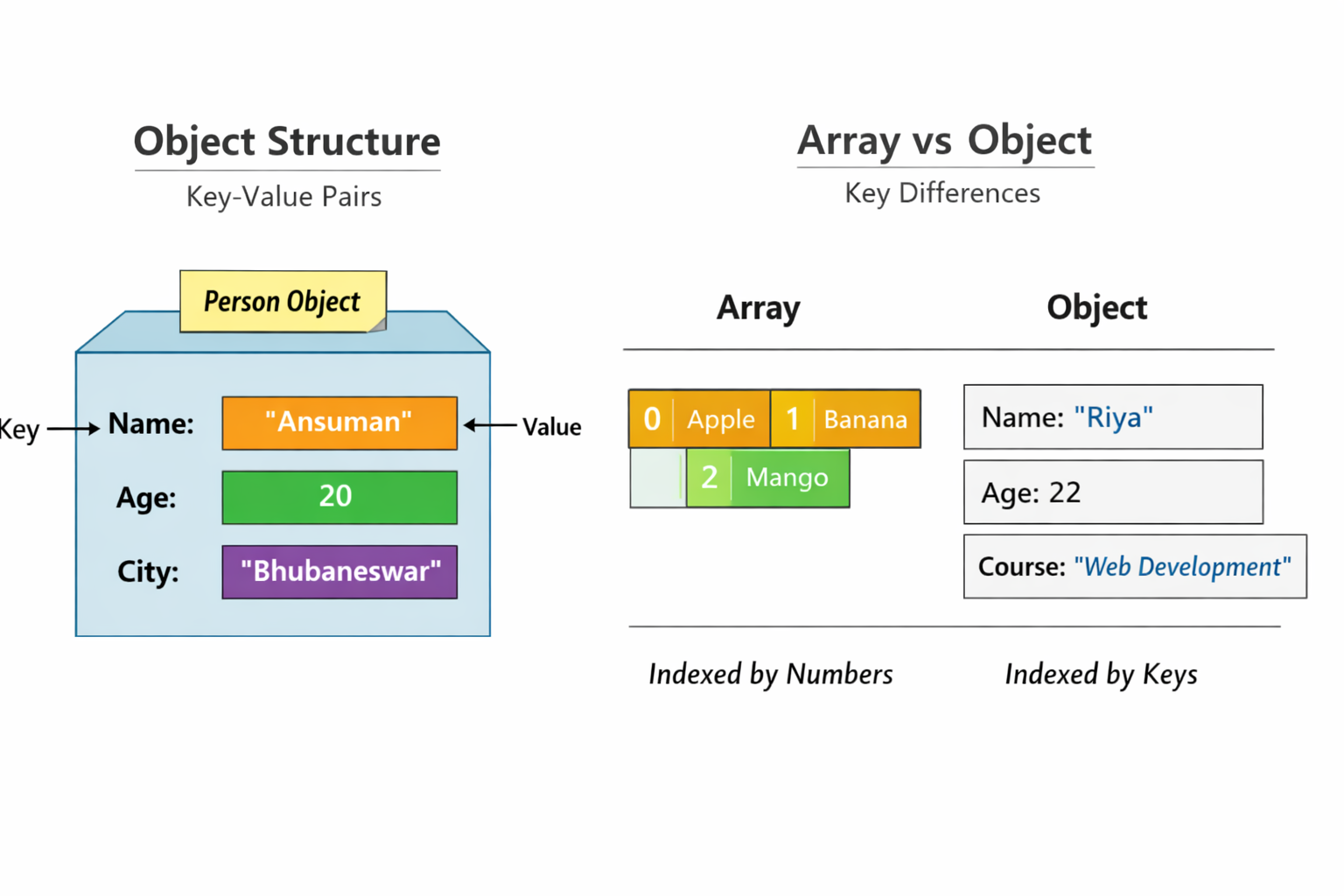
Think of an object as a collection of key-value pairs. Each key (also called a property) has a value attached to it.
📦 Imagine a box labeled “Person.” Inside, you have slots for , , and . Each slot holds a value. That’s exactly how objects work in JavaScript.
Objects are needed because:
• They group related data together.
• They make code more readable and organized.
• They allow us to model real-world entities (like a student, car, or book).
🔹 Creating Objects
You can create objects in two main ways:
// Object literal
let person = {
  name: "Ansuman",
  age: 20,
  city: "Bhubaneswar"
};

// Using new Object()
let student = new Object();
student.name = "Riya";
student.age = 22;
student.course = "Web Development";
🔹 Accessing Properties
There are two ways to access values inside an object:
console.log(person.name);       // Dot notation → "Ansuman"
console.log(person["city"]);    // Bracket notation → "Bhubaneswar"
🔹 Updating Object Properties
You can change the value of a property easily:
person.age = 21;
console.log(person.age); // 21
🔹 Adding and Deleting Properties
Objects are flexible — you can add or remove properties anytime.
person.country = "India";   // Adding
delete person.city;         // Deleting
🔹 Looping Through Object Keys
To go through all properties of an object, use a for...in loop:
for (let key in person) {
  console.log(key + ": " + person[key]);
}
🔹 Arrays vs Objects
Arrays store values in an ordered list (indexed by numbers).
Objects store values as key-value pairs (indexed by names).
let fruits = ["apple", "banana", "mango"]; // Array
let car = { brand: "Tesla", model: "X" };  // Object
📊 Arrays are best for lists, while objects are best for structured data.
✅ Assignment Idea
Create a student object:
Add properties like
name,age, andcourse.Update one property (e.g., change the course).
Print all keys and values using a loop.
let student = {
  name: "Ansuman",
  age: 22,
  course: "Web Development"
};

// Update course
student.course = "Full Stack Development";

// Loop through keys and values
for (let key in student) {
  console.log(key + ": " + student[key]);
}
🎯 Conclusion
Objects make JavaScript powerful by letting us represent real-world entities in code. Once you understand how to create, access, and update them, you’ll be ready to tackle more advanced topics like classes and prototypes later.

